IN DATA WE TRUST
Who are we?
Being Data wizards in hearts, the OctoMatrix team believes in a huge impact of using data the right way. Our implementation checklist consists of ~450+ points, with about 260 automations, including complex workflows, data validation, auto-cleaning, and of course Deluge programming, which makes your automated business platform as flexible as it can be.
These automations save 400+ working hours for each of our clients every month.
Coming from different backgrounds ranging from GPS mapping and Cartography in general, to Advanced Behavioral Marketing, CRM Integrations, Botany, and Mycology – we deliver tailored automation solutions designed to meet your business needs.
How do you automate your business processes?
It starts with shifting repetitive, time-consuming tasks from humans to bots or server-side logic 🐙. These automations follow clear business rules and run on a schedule — precisely when they should.
They update records, send follow-ups, assign leads, and more — all without manual input. The best part? They work 24/7, even while you’re asleep.
Think about the tasks you handle manually every day: sending emails, triggering WhatsApp messages, requesting approvals, assigning leads… Now imagine all of that happening automatically.

Automate and Cønquer
Every minute counts. At the end of the day, you just sum up all these automated processes, that don’t need your attention anymore. That’s the time you saving. Now you can multiply it by the hour/dollars paid to your employees every month – this is the money you’ve saved.
Automation has become a key to success for small and medium businesses – now nearly 60% of the companies use automations that help them win the competition. Deal closing, confirmations, lead generation, task tracking, or customer retention – you name it.
Free yourself from these actions and focus on the strategy instead. Dedicate your time to constantly grow your business.
Last Mile effect.
Smart GPS Navigation for meetings with Customers.
If the sale implies the actual visit, the GPS Logistics platform can also be added. Every trip takes a significant time and the saleperson needs to first visit the most promising clients. What can be improved in his logistics?
Imagine all his customers mapped in one area of San Francisco, California.
In short: having more clients evenly distributed in one area – not only guarantees complete coverage, but also cuts the transportation cost. And most importantly – it saves the sales rep plenty of time and energy, immediately invested in every sale. He always has a plan B, when some meeting is canceled, but he can pay a visit to another customer nearby.
Now instead of visiting 1 client in some remote area, he sends personal Whatsapp messages to 5 of them automatically, and manages to schedule 2 meetings, cutting gas losses by half and saving the time of 1 trip. As a result – more deals are closed in less time.
Repeating the process again and again, he goes the extra mile and exceeds his monthly forecast.
A simple affiliate system also applies to the Last Mile effect. Some of his clients will be more than happy to refer and connect him with their neighbours, receiving a small commission in return.
The mystery lies in the trust index between the affiliated customer and his neighbour. The sales rep skips the part, where he actually needs to convince the client, as your product is already vouched for.
Geo-data mining also comes in handy. Enrich the territory and subdivide into smaller areas, distribute between more salespersons afterwards – as a result, the time response will be significantly lower for each customer, and more deals are closed.
We use open map data to harvest new customers and enrich old one. After processing this data is uploaded to your CRM. No hustle for you. Now you can segment these records, use advanced automation to engage them, and plan daily routes.
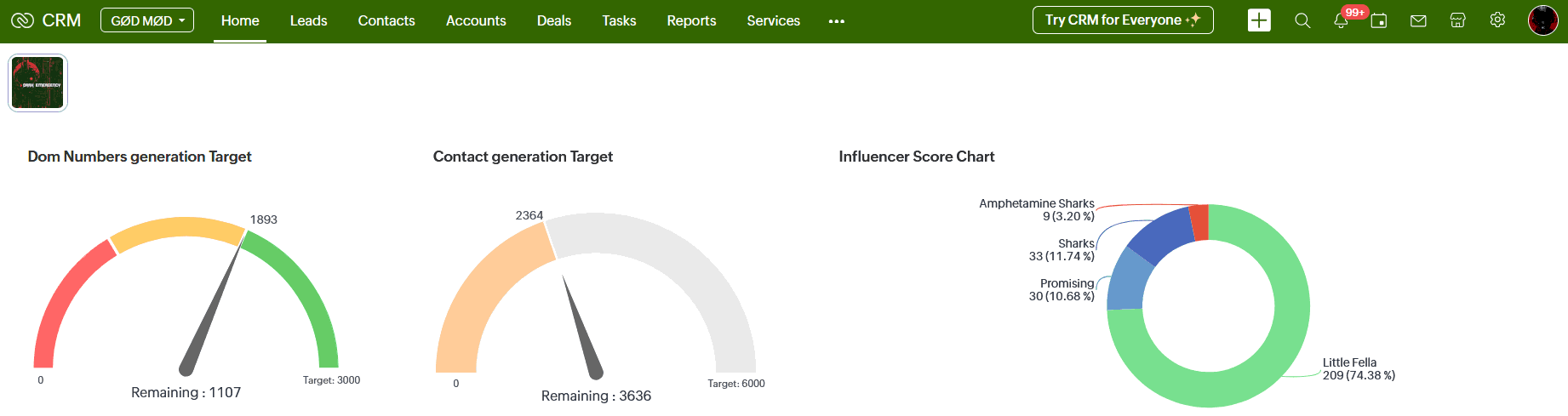
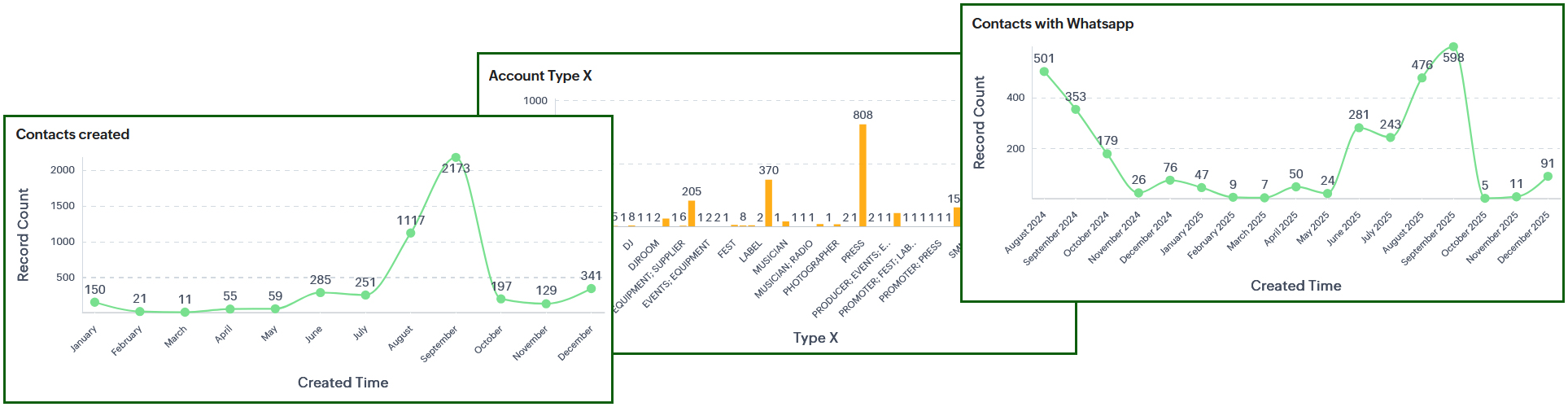
Interactive business dashboards.
Bird eye’s view of your business processes, sales, and automations.
Measure the efficiency, compare different business strategies, and make data-driven decisions.
Take a closer look at the metrics and graphs of anything happening in your business. Receive notifications of all the important parameters, anomalies, spikes, and deviations in real time. Everything is measurable, all the data is cross-related.
Also enjoy the benefits of our special Automation dash, which shows how much money and time this CRM implementation is saving for your business. You just need to specify the following parameters.
The average monthly savings:
400+ working hours* for a team of: CEO, 1 Sales Manager, 3 Sales reps, 1 Purchase manager, 1 Warehouseman, 1 Marketer, 1 Bookkeeper, 1 Support, 1 HR.
* Based on an average salary of 3,500 US$ per month, one of our clients achieved the following results.
Hours/Month
537
Hours/Year
6,450
Saved/Month
$12,059
Saved/Year
$144,707
The formula is straightforward. We take your company’s average hourly rate and multiply it by the time each team saves — the time they would normally spend on those tasks without automation.
The result? Nearly 150,000 US$ saved annually — and a solid boost to your bottom line. Not a bad return at all.
These business automations also:
+ Prevent human errors
+ Help with faster decisions
+ Provide detailed business analytics and notifications
+ Guide your team and monitor all their activities
+ Solve a wide spectrum of riddles for your business.
And most importantly exclude any delays, interrupting your business processes.
Business forecasting dashboards.
« The best way to predict the future is to invent it »
– Alan Kay
Predict Future events
Forecast Sales Growth
Identify Risks and Deals
These business dashboards use your historical data and leverage predictive analytics to uncover trends in your data, giving you a powerful, data-driven decision-making tool.
Grounded in statistical science, they apply predictive modeling techniques to help you anticipate future outcomes with greater confidence.
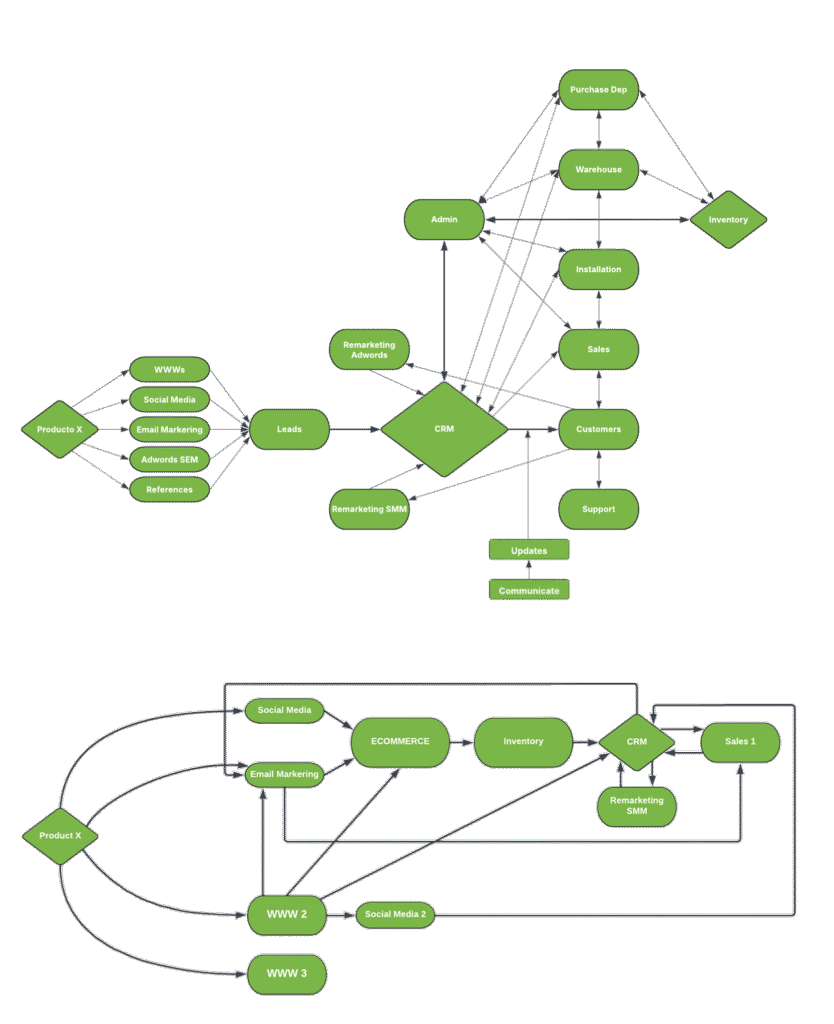
Workflow automation seamlessly routes tasks and data between people and systems based on predefined rules and triggers of your business, unlocking its full potential.
Workflows for business automation.
Addressing any operational challenge, workflow automation improves your team productivity, because those tasks consume less time, or are fully automated.
Business automation workflows lower operational costs by reducing or completely replacing everyday tasks, which among others include:
- Lead nurturing
- Support ticket handling
- Customer onboarding and feedback collection
- Personalized email marketing campaigns
- Data entry
- Approval processes
- Purchase and sales order management
What are the key benefits of business automation workflows?
1. Scalability.
Automation makes your business truly scalable. The sky is the limit. No matter how many tasks or employees were involved in this process before, now you leverage the power of programmed workflows.
2. Efficiency.
Repetitive, time-consuming tasks? Handled. Automated workflows run 24/7, executing actions precisely when needed. That means your team can shift focus to high-value work that demands critical thinking and strategic insight.
3. Flexibility.
Built around your business logic, automated workflows adapt to any process. You set the rules, and the system follows.
4. Collaboration.
Enhanced communication and task tracking platform fully control the updates, automated notifications, feedback requests, and alerts. They keep everyone on the same page and ensure the overall project success.
5. Speed.
The operations move faster, as they now don’t depend on human input, decisions, or related delays. Automation eliminates bottlenecks and accelerates operations across the board.
6. Customer satisfaction.
Automated workflow provides a new level of tailored experience for every customer. It ensures timely responses, manages feedback, and keeps every customer interaction on point.
30% of tasks could be automated for most jobs in the US.
Workflow automation examples
Workflow automations can be applied across numerous industries, including, but not limited to:
Retail
orders and returns processing; customer service; inventory management; vendor relationships; behavior analysis
Healthcare
online forms for patients; automated appointment reminders; health information management; discharge instructions
Banking
loan and payment processing; fraud detection; contact center optimization; report generation
Logistics
transportation; storage and retrieval systems; packing lists; document management
Insurance
claim processing; compliance; underwriting; policy management and cancellation; compliance
Real estate
property management; tenant onboarding; transactions; lead generation; inspection; contract automation
Manufacturing
quality control; production process efficiency
HR
candidate and recruitment tracking; employee management; onboarding
Finance
expense tracking; financial management; project tracking
Sales
customer relationship management; point of sale; quotation management
Marketing
content review; process tracking; email marketing; lead tracking
Addressing any operational challenge, workflow automation improves your team productivity, because those tasks consume less time, or are fully automated.
Business automation workflows lower operational costs by reducing or completely replacing everyday tasks, which among others include:
- Lead nurturing
- Support ticket handling
- Customer onboarding and feedback collection
- Personalized email marketing campaigns
- Data entry
- Approval processes
- Purchase and sales order management
Retail
Order processing; Returns automation; Inventory tracking; Customer support
Healthcare
Patient intake; Appointment automation; Records handling; Discharge guidance
Banking
Loan processing; Payment automation; Fraud detection; Reporting
Logistics
Transport coordination; Storage systems; Packing documents; File handling
Insurance
Claim automation; Underwriting support; Policy handling; Compliance checks
Real estate
Property operations; Tenant onboarding; Deal processing; Contract automation
Retail
Patient intake; Appointment automation; Records handling; Discharge guidance
Healthcare
Patient intake; Appointment automation; Records handling; Discharge guidance
Banking
Loan processing; Payment automation; Fraud detection; Reporting
In short, if some particular task happens frequently and can be predicted = there is room for an automated workflow.
Business process Blueprint.
Instead of constantly looking over your sales rep’s shoulder, create a clear Blueprint that automatically guides them through every stage of the sales pipeline. Sleep better knowing you’ll receive stats and reports directly to your email, dashboard or even your office TV screen.
Wouldn’t it be easier to have a workflow system that supports you every step of the way?
Each stage of your Blueprint includes Before, During, and After actions.
Before
Set entry criteria to control which records can enter this part of the pipeline.
During
Trigger updates, adds attachments, notes, and assign tasks. All the input can be validated as well.
After
Send notifications, assign tasks, create meetings, update fields, trigger webhooks, and more.
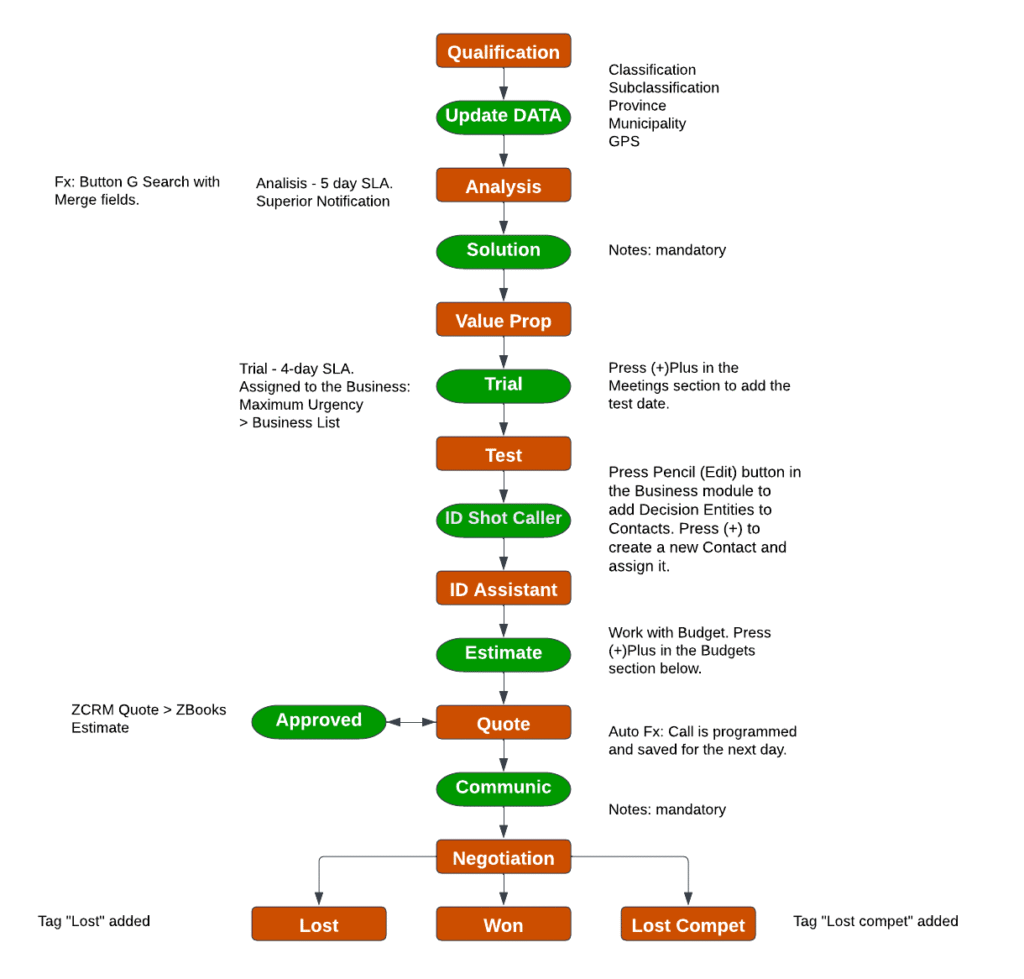
For example, the sales rep shouldn’t be allowed to proceed with the discount for this particular customer, if the Deal amount is lower than 10K US$. In that case, a warning message will alert him.
His job is to follow the workflow, smoothly crossing through each stage of the pipeline, while the platform’s programmed automations handle the rest in the background — no human input needed.
What can be performed in the After stage? The Blueprint allows to automate Email Notifications, short notice about the deal progress, Tasks to be completed, Meetings to attend, or Whatsapp notifications among others.
As you can see, the applications and flexibility of the Blueprint are almost limitless and can be tailored to any business, not only small and medium-sized.
ENGAGE YOUR CUSTOMERS
[ ENGAGE YOUR CUSTOMERS ] turns dark green and dissolves everything > transparency goes down with a step of 20%. 5 images. [ ANIMATION ] OCTOPUS GOES FROM THE RIGHT TO THE LEFT, MEANWHILE SCROLLING. Crossing Zig-zag Content | 🐙 🐙 | Content ??? 3 FRAMES 🐙 ON THE RIGHT, 🐙 IN THE MIDDLE, 🐙 ON THE LEFT ??? Content on the left > Scroll, Content disappears (transparency) Octopus going to the left > Content Appears on the right (transparency).
How to automate salesperson workflow?
Managing the clientele list involves reaching out via Email, WhatsApp, and phone calls with meetings.
Email for customer outreach automation.
Email templates dynamically populate customer name, transaction details, or bring some personalized solution for this specific group of customers. Which makes the letter seem to be more personal, significantly increasing the open rate and sale probability.
Some small and medium business CRMs offer the option to schedule email and send it at the time your client is more prone to check his email. Based on the previous interactions [ AI powered ]. Others provide email tracking features as well.
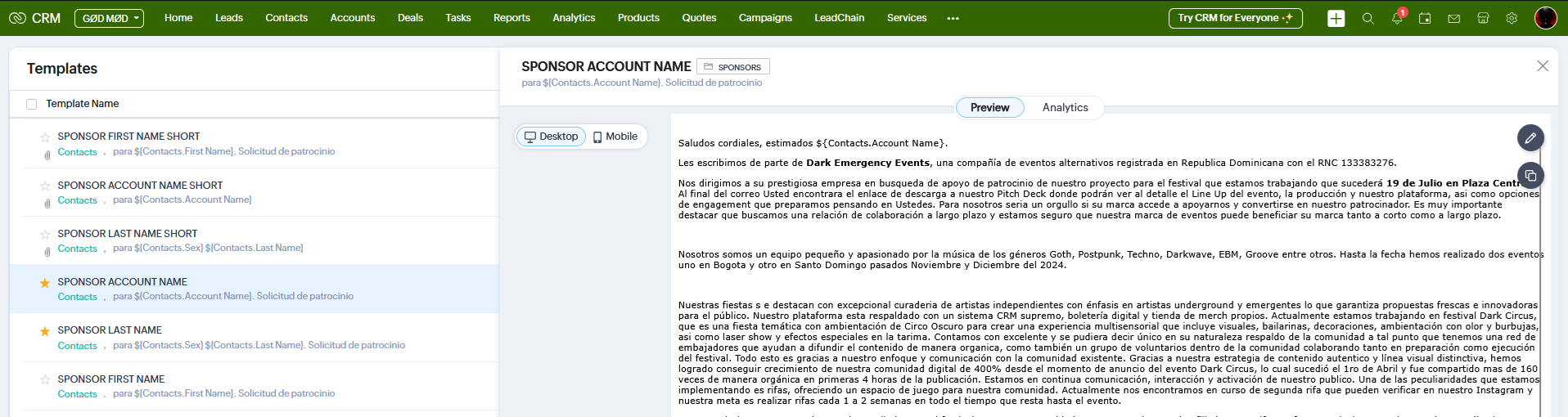
When you include a contact form on the website – all the submissions end up in CRM. The Lead immediately receives an auto-response welcome email with the follow-up question, starting the onboarding process. The same which the salesperson would normally ask in the first communication. One step ahead always. Again, no humans involved.
With the tracking system in place, every Lead comes with UTM parameters which include the Campaign name, Source, and the link, where the customer landed. The link in this case often points to a specific product of interest. What allows to automatically segment and group these clients, assign them to the right salesperson, or perform any automation based on a particular business logic.
Automated follow-ups can include overdue payments, service quality surveys, shipping details, and abandoned shopping cart notifications to name a few.
Properly implemented email automation will cover all this, and personalize each letter, fetching the data from a specific record in the customer CRM. Avoiding human mistakes, no manual input is needed anymore.
This automation saves your team from 100 minutes monthly. See all the automations, and calculate your savings. Automation 45/455. OctoMatrix Calculator.
Mobile Number for WhatsApp Automation
Let’s talk about using your customer’s mobile number—whether it’s linked to WhatsApp or not.
How can WhatsApp support your marketing and communication efforts?
WhatsApp automation is a powerful tool in your arsenal. You can use it to share tailored offers, product updates, utility messages with transaction IDs, shipping confirmations, or even project status updates.
All WhatsApp conversations are logged within each CRM record — just like Emails, Deals, Tasks, Quotes, and more. It’s very convenient to have this cross-related data in one place, what makes everything easier to track and manage.
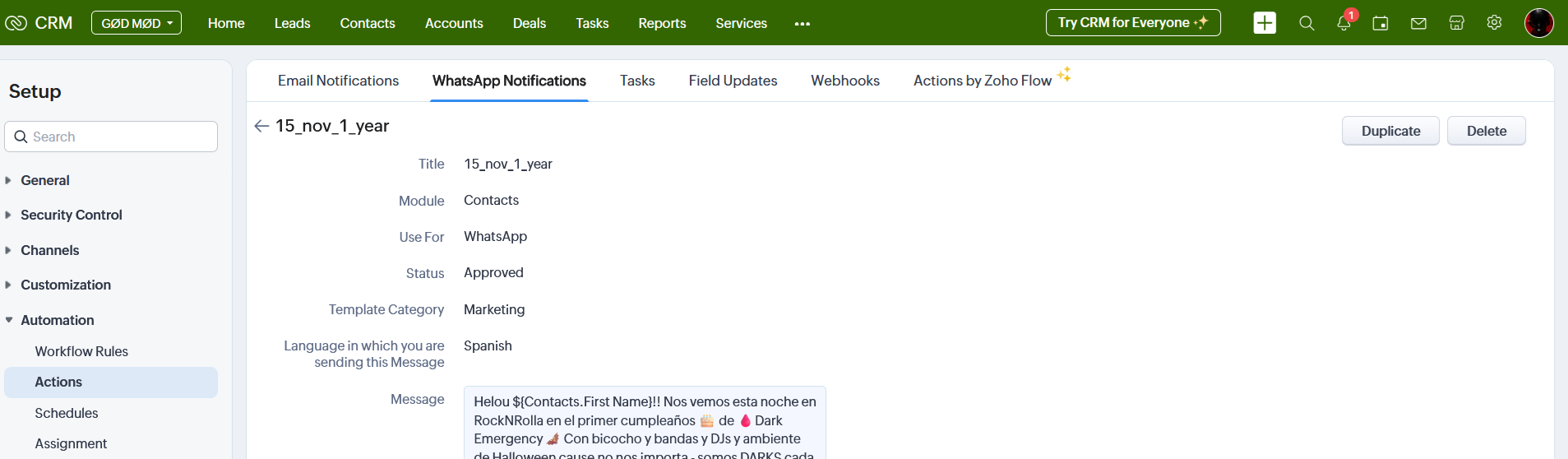
WhatsApp Templates offer tremendous advantages. Similar to email templates, they dynamically insert the customer’s name or any other data from the record. This eliminates manual entry, reduces human error, and allows you to schedule messages to be delivered at the perfect moment.
For instance, a payment reminder shouldn’t be a hassle, or rely on someone’s memory.
SMS Notifications Automation.
Another smart way to use a customer’s mobile number is through automated SMS notifications sent via your CRM. Similar to WhatsApp automation, these messages are created using personalized templates that pull data directly from the customer’s record.
The key difference? SMS messages are far less common these days, so your message won’t get lost in the noise. It lands in a nearly empty inbox, making it hard to miss.
Phone Calls.
While phone calls can be scheduled, they can’t be fully automated—aside from certain survey calls powered by bots. However, a more sophisticated implementation will definitely bring the IP telephony to the table.
With IP telephony, your team sees the caller ID and all relevant CRM data — tasks, notes, and open deals instantly. Most CRMs also offer a click-to-call feature, which saves time and eliminates dialing errors.
What happens during a sales rep’s call?
The rep adds information directly to the customer’s CRM record. Ideally, this data is standardized using predefined options in picklists, ensuring consistency and saving time down the line.
This approach allows records to be grouped and segmented more effectively. Since the parameters are consistent and error-free, they support more accurate searches and better data filtering.
In addition, certain fields like phone numbers, ZIP codes, or tracking IDs require manual input and must be validated. For instance, a phone number should contain exactly 10 digits; ZIP codes must follow a specific format; and identifiers such as tracking codes, Employer Identification Numbers, or Social Security Numbers often follow strict formatting rules.
One of the key advantages of using the right CRM is that it can handle these validations automatically, in line with your company’s business process logic.
The consistency of the data translates into more meaningful reports, increased revenue, and higher CRM adoption.
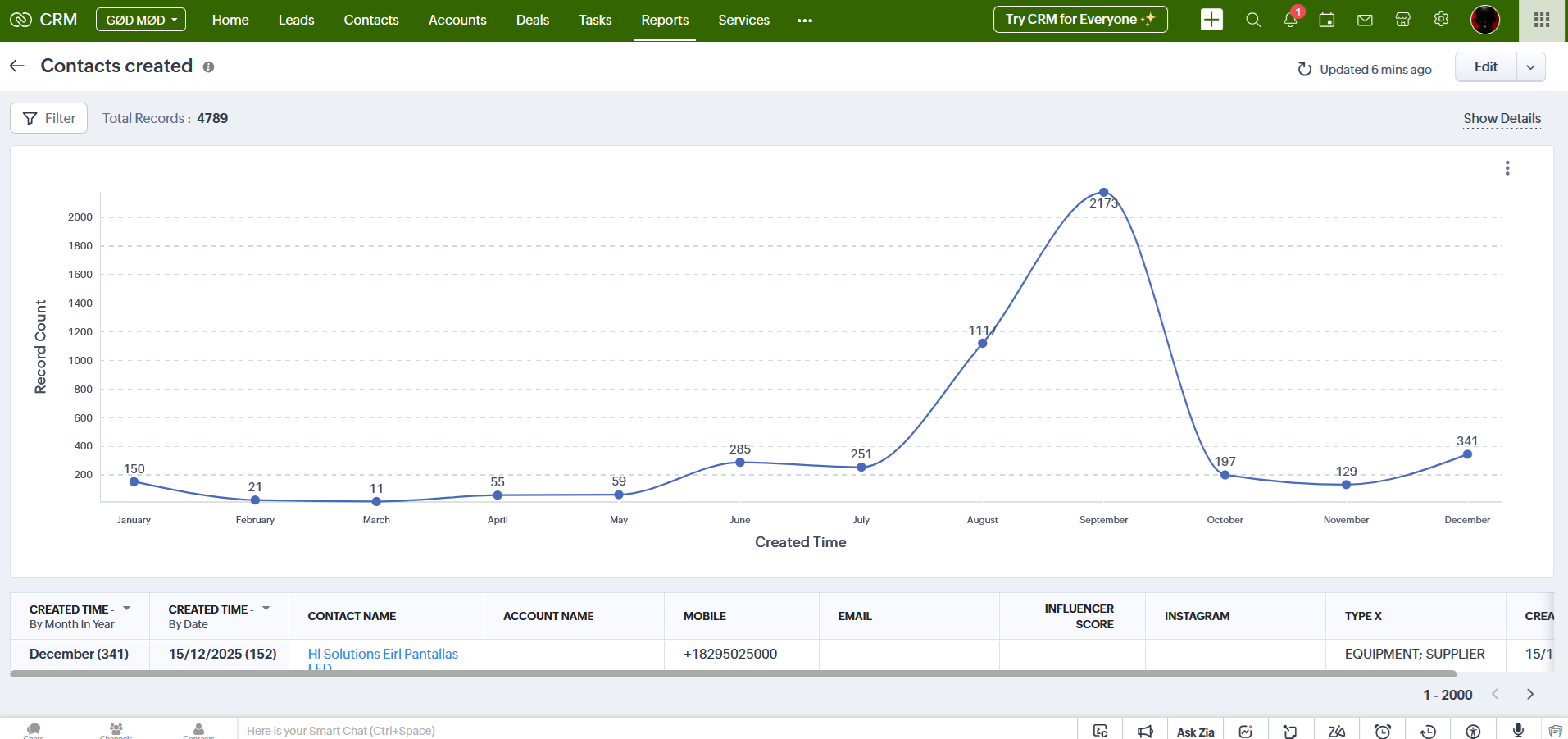
How clean is your data? Wouldn’t it be easier to handle cleaning and auto-correction on the server side?
Glad you asked. A properly implemented CRM should absolutely include data cleaning. As a key part of automation, it reduces manual effort and boosts employee efficiency by eliminating the need to correct input errors themselves.
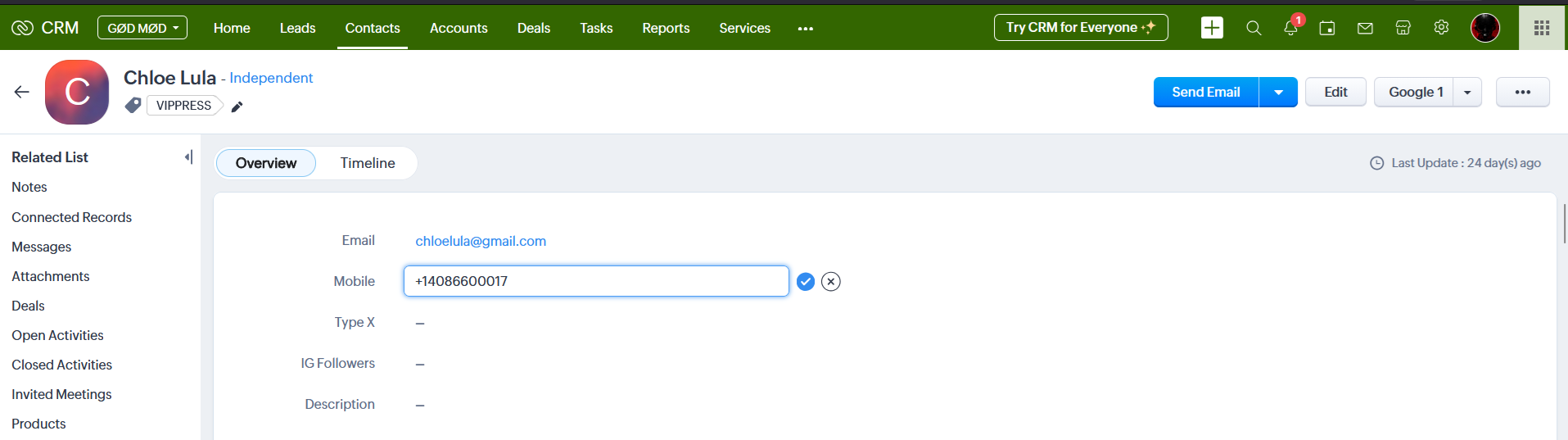
For example, if you plan to use a mobile number for WhatsApp messaging or a simple call, the number needs to follow a specific format.
Let’s say one of your clients is the San Jose Museum of Art in California. You copy the number +1 (408) 271-6840 into the CRM, and the system automatically strips brackets, spaces, and hyphens resulting in: +14082716840.
Now this number is ready to be used for WhatsApp automation and phone calls. This standardized format also prevents duplicate records.
First Name: Mark
Last Name: Goldenberg
The code also ensures the first letter is capitalized. Now these names can be used for personalized automated emails or any other communication-related automation.
« He who owns the information, owns the world » – Nathan Mayer Rothschild.
Advanced Customer Segmentation. How do you prioritize the most promising leads and balance your efforts?
It can start with something as simple as a filtered list — highlighting clients who show the most interest, grouped by deal size or any parameter that matters to your business.
Some sales reps prefer a Kanban-style view, which brings structure to their process. It allows them to move records, tasks, or deals between columns, keeping items with similar characteristics grouped together.
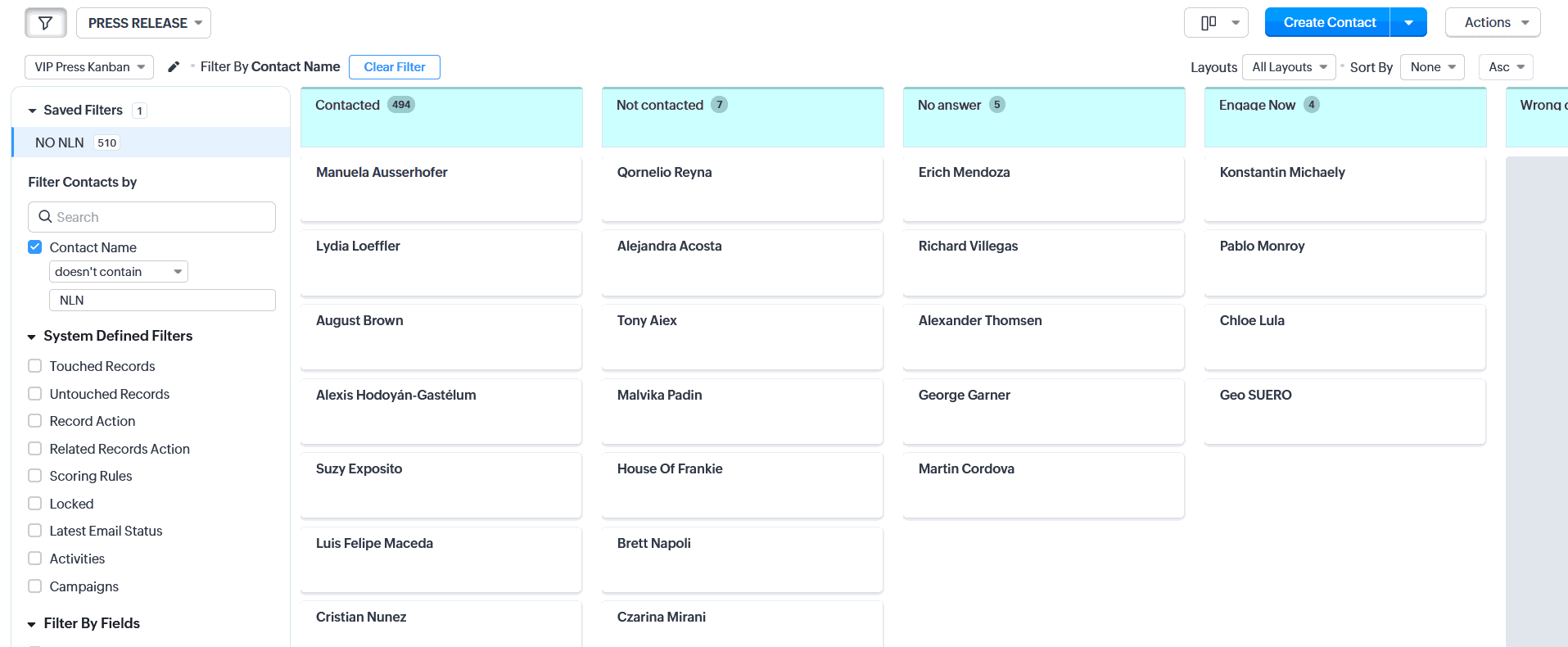
The idea is simple: bring the juiciest deals to the top so the salesperson can focus on the most valuable opportunities first and give them the attention they deserve.
Idle Leads Management.
It’s helpful to maintain a dedicated list that only includes leads with no prior interaction — no emails, no calls, except for automated messages.
The salesperson can work through this list methodically, ensuring no opportunity is overlooked and every potential customer receives the attention they deserve.
This automation saves your team from 100 minutes monthly.See all the automations, and calculate your savings.
RFM customer segmentation based on Deals.
RFM is a method used to analyze customer behavior, focusing on three key factors: Recency, Frequency, and Monetary. It helps you categorize and segment your customers based on how recently they made a transaction, how often they buy, and how much they spend. This model supports highly targeted and personalized marketing and sales strategies.
Scoring rules for customer outreach.
Scoring rules help track how each customer interacts with your business, allowing you to focus your outreach efforts and boost conversions.
Use scoring to gain insight into customer behavior. For example, if someone doesn’t open your emails three times in a row, that’s usually a sign of disinterest. A well-configured scoring system might subtract 10 points for each unopened email — giving that contact a score of -30.
Now compare that to a more engaged lead — someone who opens, reads, and even replies to your emails. If they open all three, that’s +20 each. Click a link? Add +40 more per action. Their score quickly adds up to +180.
Big difference, right?
Example scoring rules:
For every email opened: Add +20
For every email not opened: Subtract -10
For every link clicked: Add +40
For every email bounced: Subtract -5
WhatsApp message received in CRM: Add +20
Wouldn’t it be useful to have a dedicated list for this group? With filters? Yes, please.
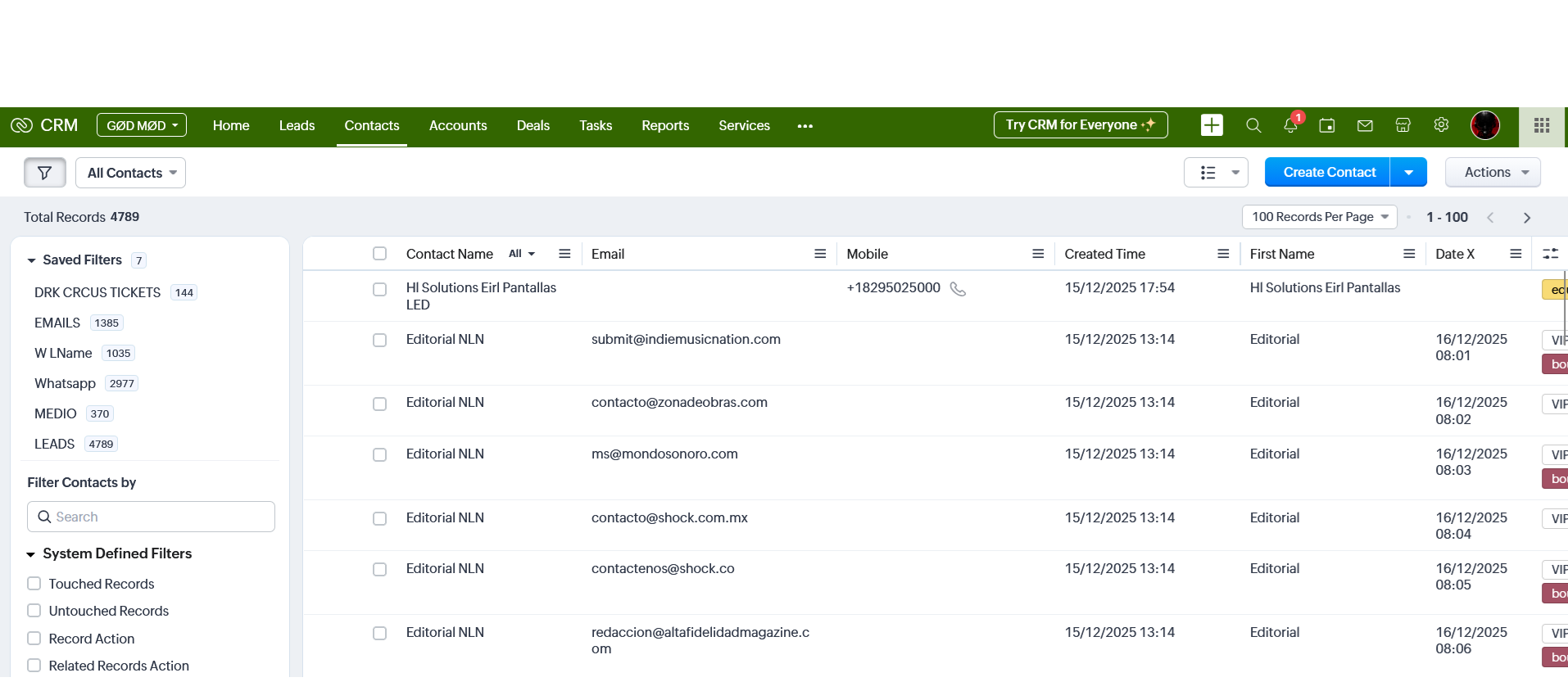
When paired with other metrics like demographics, these insights can help marketers — or even the sales team — uncover valuable patterns. For example, clients in San Jose, California, tend to open emails more frequently, while those in Fresno respond better to phone calls. With flexible, automated logic in place, the system can segment these customers into more accurate groups on its own.
Website lead form submissions, cart abandonments, webinar attendance, newsletter signups — every action counts. Each one contributes to smarter segmentation and more precise targeting.
Implementation: №45/558The average time saved (based on our customers’ surveys)
This implementation saves you for 1 team member. How big is your team?
Lead Generation.
How to Generate Fresh Leads?
Generating new leads often starts with a well-executed, locally targeted marketing campaign. This approach helps attract potential clients within a specific area, increasing the chances of meaningful engagement.
Once the leads begin to come in, personalized WhatsApp messages can be an effective way to establish initial contact. When this communication is managed directly within a CRM platform, the process becomes much more efficient — no need to switch between tabs or manually transfer data. Everything stays organized in one place, allowing teams to focus on building relationships instead of handling logistics.
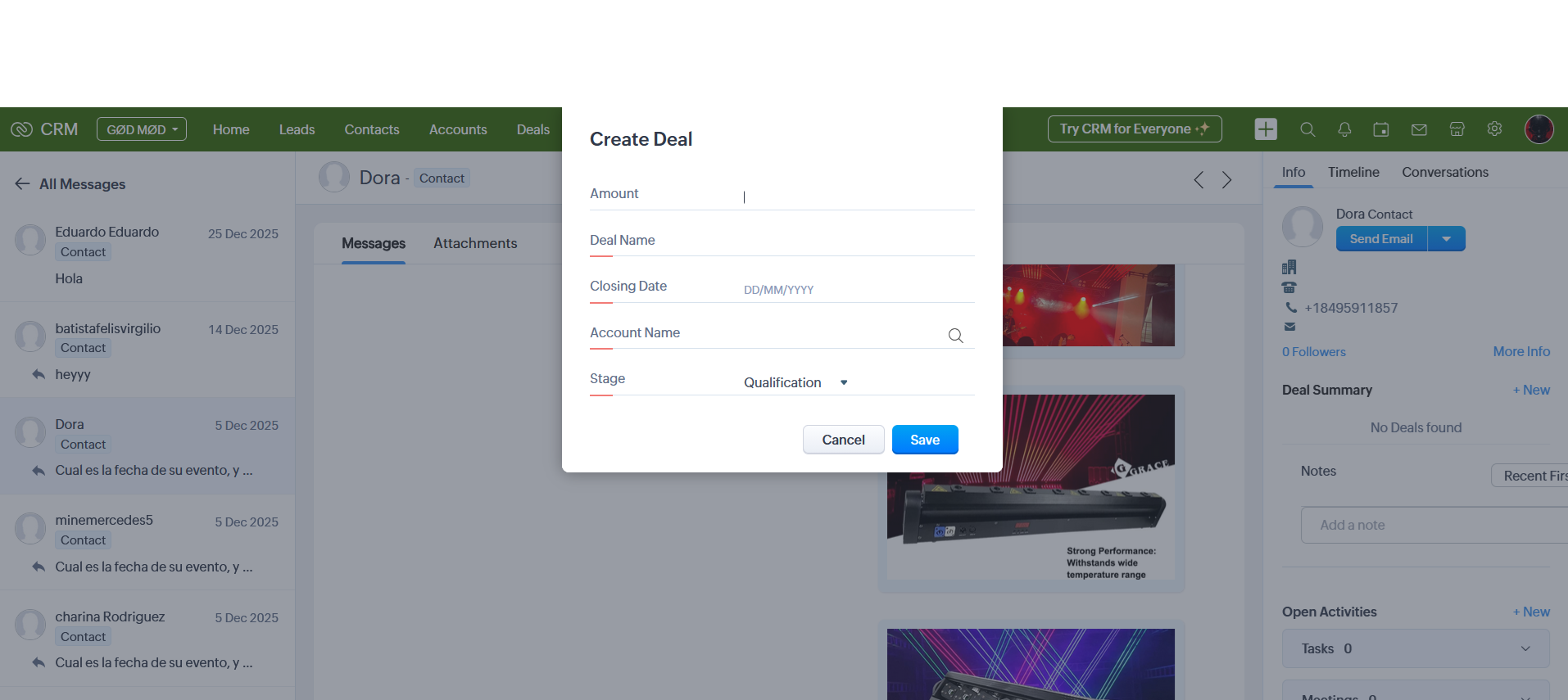

From the same interface, the salesperson can create Deals, set Tasks and Reminders, update client details, and refine segmentation by adding tags. Some of this segmentation is handled automatically on the server side — for example, distinguishing between clients who came through the contact form and those who arrived via Social Media ads.
The most promising leads are converted into closed deals, while others are nurtured through newsletters and follow-ups, eventually leading to more sales.